Drive club member enjoyment and participation
Increase participation through connected digital systems and applications
Digital tools that keep bays full and your business active
Everything you need to run your coaching and retail business
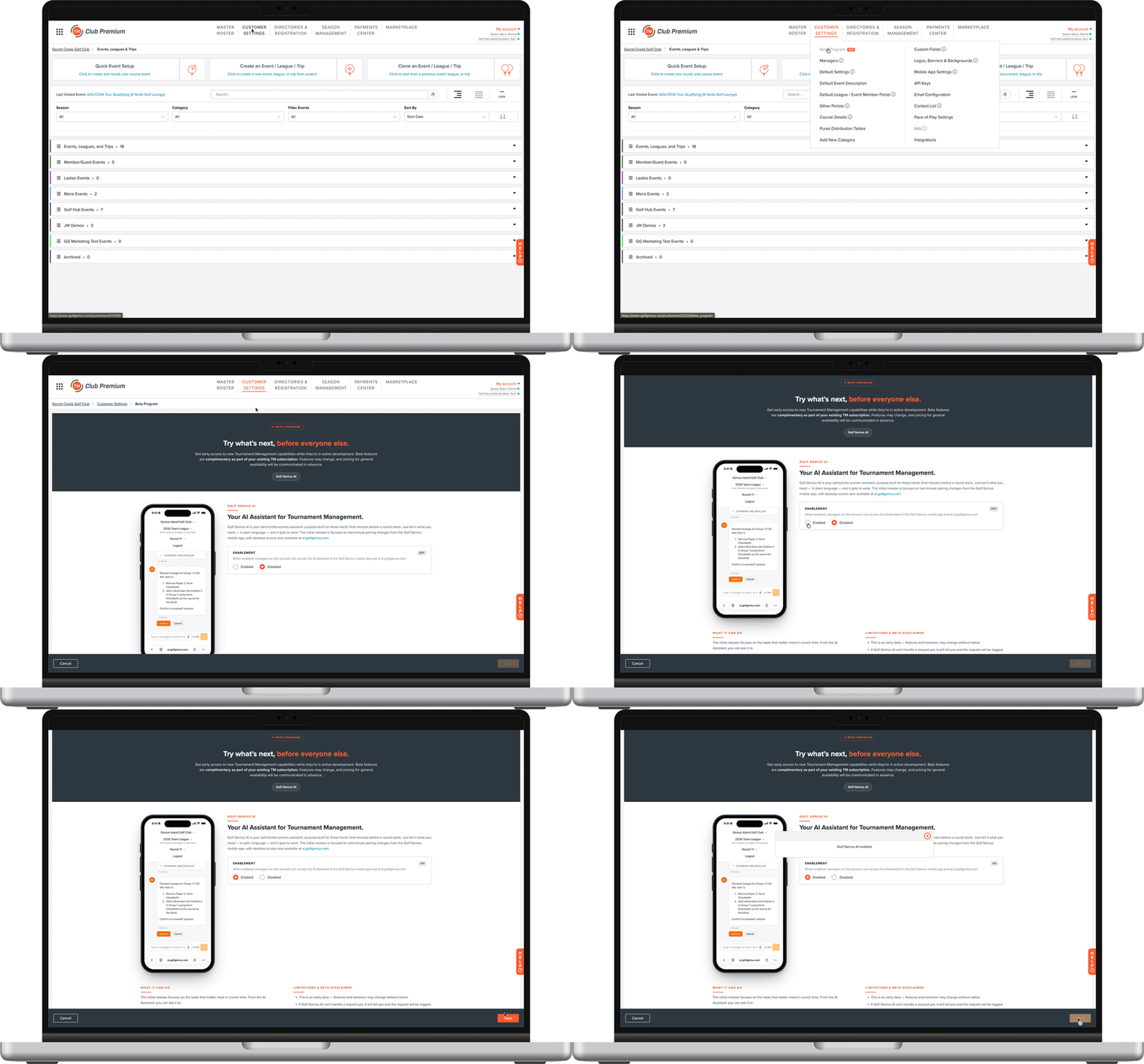
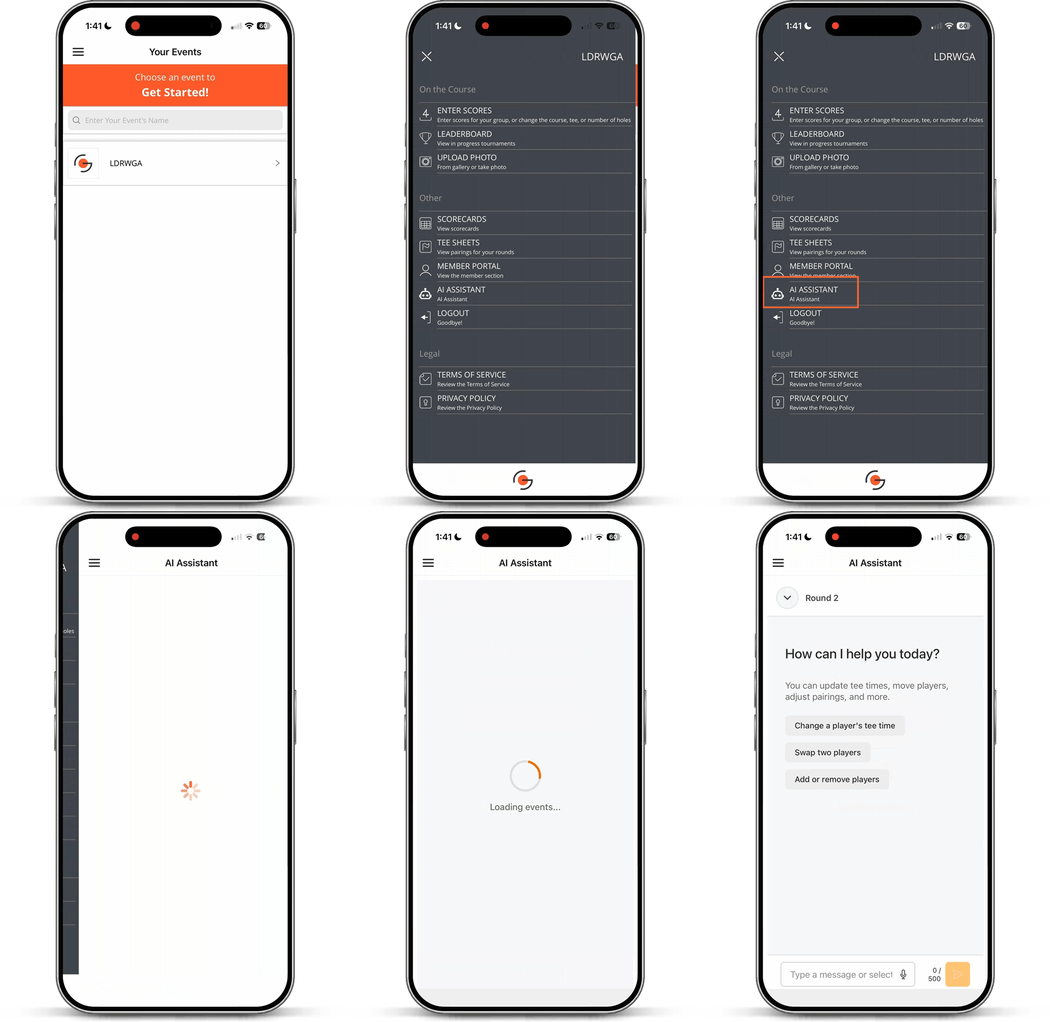
Currently in public beta for TM Club Premium and Association accounts.